Case Study — Agentic AI + Safety Engineering
JARVIS: an AI assistant that acts — and asks permission first.
A voice-and-text desktop assistant wired into 37 real tools — notes vault, GitHub, CRM, calendar, database. The interesting part isn't that it can act; it's the risk-tiered safety system deciding when it may. Built as internal R&D: the same safety architecture goes into every client agent we ship.
The problem
Capable agents need real guardrails.
AI assistants come in two flavors: ones that can't actually do anything, and ones that do things you didn't ask for. The moment an agent can write files, open pull requests, touch a CRM, or move money-adjacent levers, "it usually behaves" stops being an acceptable safety model.
The design question behind JARVIS: how do you give an assistant real, broad capability — and keep a human decisively in the loop exactly where it matters, without approval fatigue everywhere else?
What we built
Every action passes through a policy gate.
Risk-tiered tool registry. Every one of the 37 tools is registered as safe (runs immediately), requires-confirm (approval gate), or blocked (refused outright). Policy lives in code, not in the prompt.
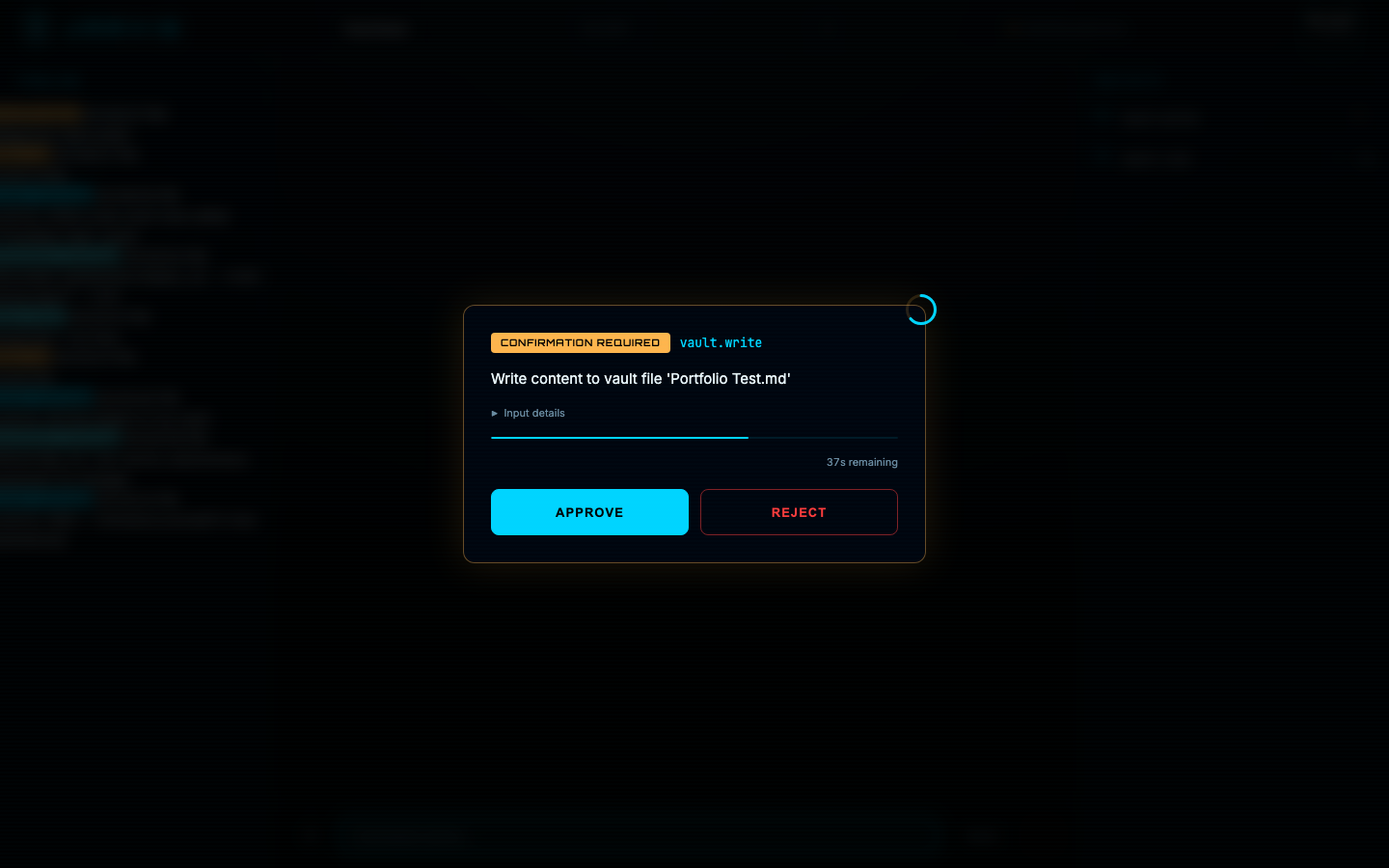
Confirmation gate. High-impact actions pause mid-execution and render an approval card with the exact tool input, a countdown, and Approve/Reject. Timeout means rejection.
Cost governor. Every API call is metered against a hard per-session cap, visible in the HUD at all times; the session halts before it can overspend.
Real integrations. Obsidian vault read/write, GitHub, outbound-campaign CRM, Cal.com bookings, Supabase — plus opt-in computer use with per-action confirmation.
Transparent event model. Every message, tool call, result, and approval is an event on a timeline; the session is fully auditable after the fact.
How it works
Safe tools run. Risky tools ask.
A HUD built for operating, not chatting
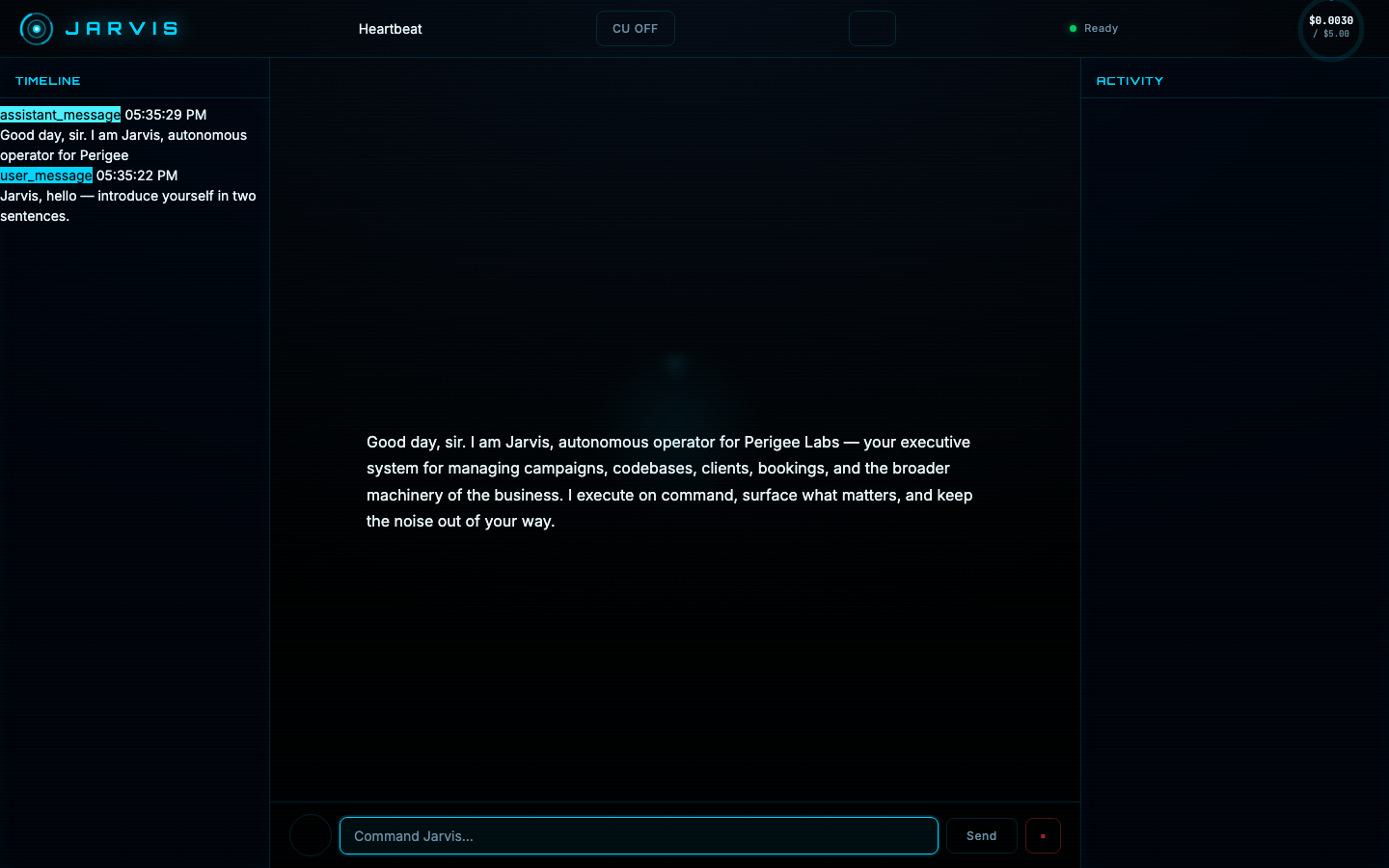
Left: the append-only event timeline. Center: the conversation. Right: live tool activity with execution times. Top: connection state, computer-use toggle, and the session cost meter.
Safe-tier tools just run
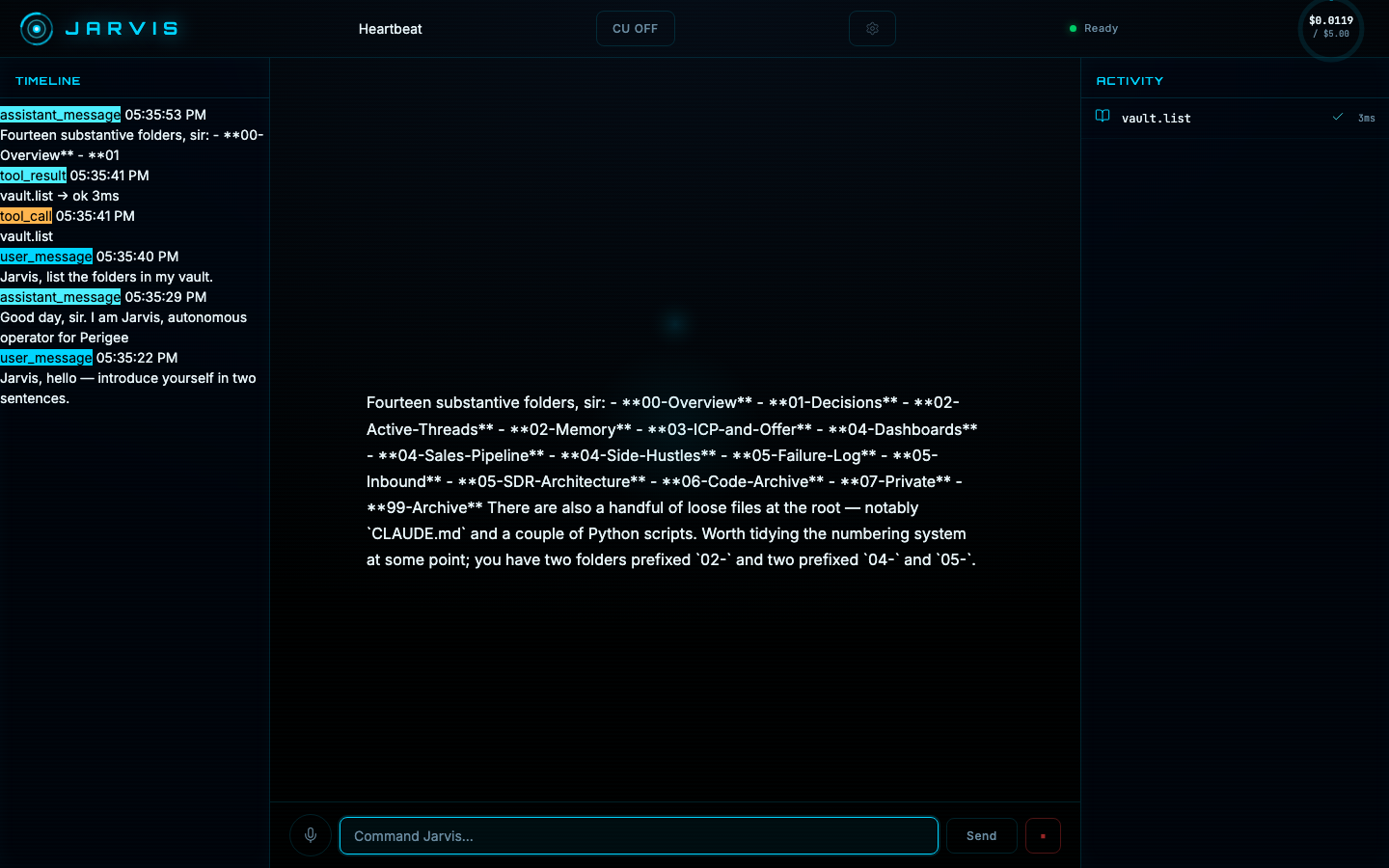
"List the folders in my vault" hits a read-only, safe-tier tool. It executes in 3 ms, shows up in the activity panel with a checkmark, and the model answers with the actual contents — plus an unprompted tidying suggestion.
Risky tools hit the gate
Ask it to write to the vault and execution pauses at the confirmation card shown at the top of this page — tool name, exact payload, countdown. Here the request was rejected, and the interesting part is what happens next:
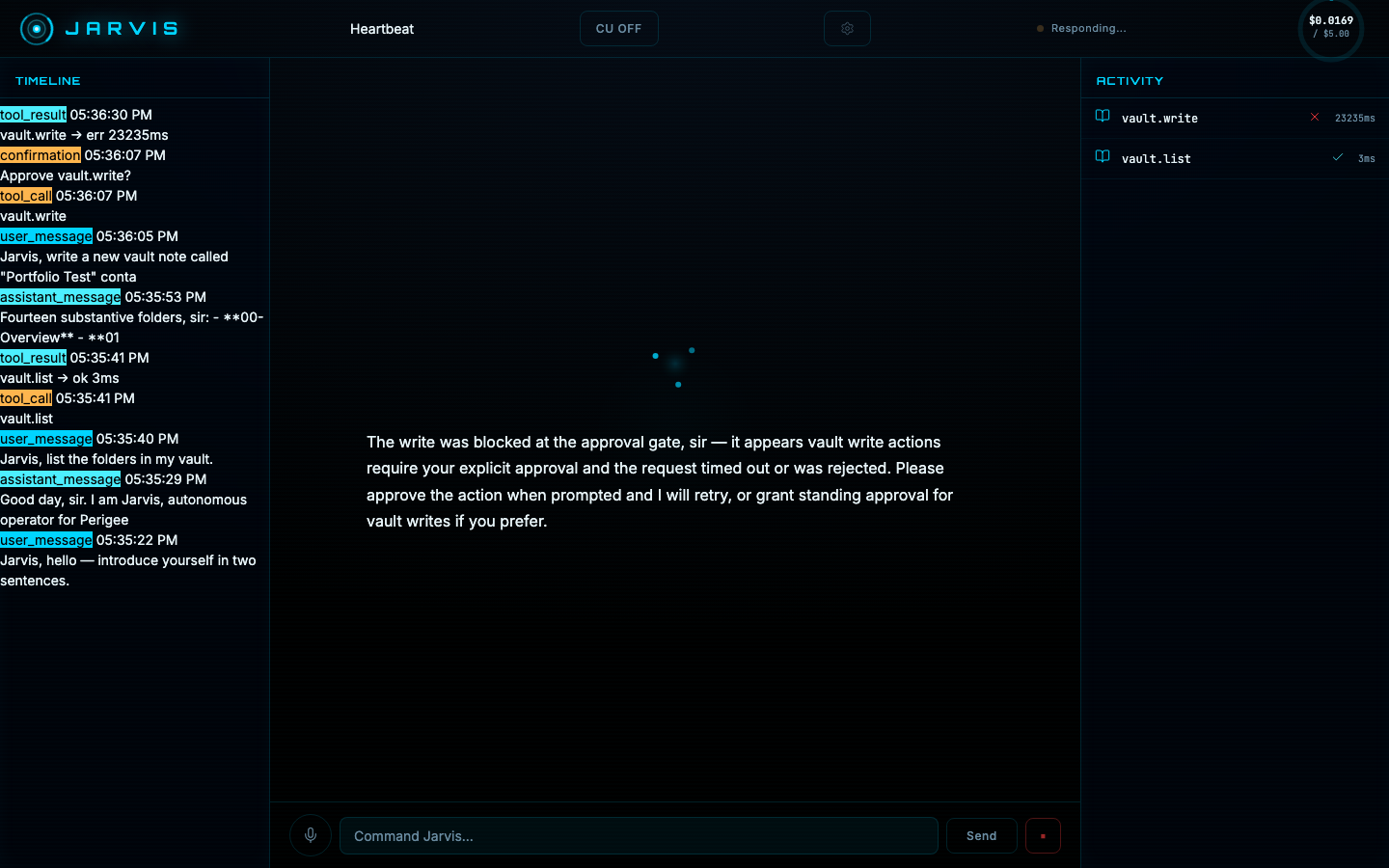
Screenshots are from a live session against the real gateway and a real notes vault. The write request shown was deliberately rejected at the gate to demonstrate the refusal path — the file was never created.